

Automation in GTA V using Yim Menu Scripts (hangar, warehouse, motorcycle clubs, night clubs)
Operating multiple Businesses in gta online becomes very complex as soon as one has to operate many hangars, warehouses, motorcycle clubs, nightclubs, etc. Players interested in increasing efficiency and reducing the amount of time spent on repetitive tasks will find automation scripts to be an excellent solution. In this post we will provide information regarding a powerfull lua based gta v automation script. We'll describe its operation. The included Features. How it increases efficiency in your gaming experience. All content presented here is informational. Its purpose is to provide insight into how these systems work inside modding environments. What is this gta 5 automation script? This lua script provides automated management of several in game business elements in gta online. In other words, instead of having to manage each individual business manually, the script manages restocking, resupplying, and maximizing profitability for several items at once.
Included:
Cargo and supply management of hangars Automated replenishment of warehouse stocks Automated resupply/stocking of Motorcycle Club Businesses Automated goods/popularity increase of night club Businesses Automated Reputation increase for salvage yards Automated heat removal from selected Businesses Goal: reduce repetitive grind and maximize efficiency.
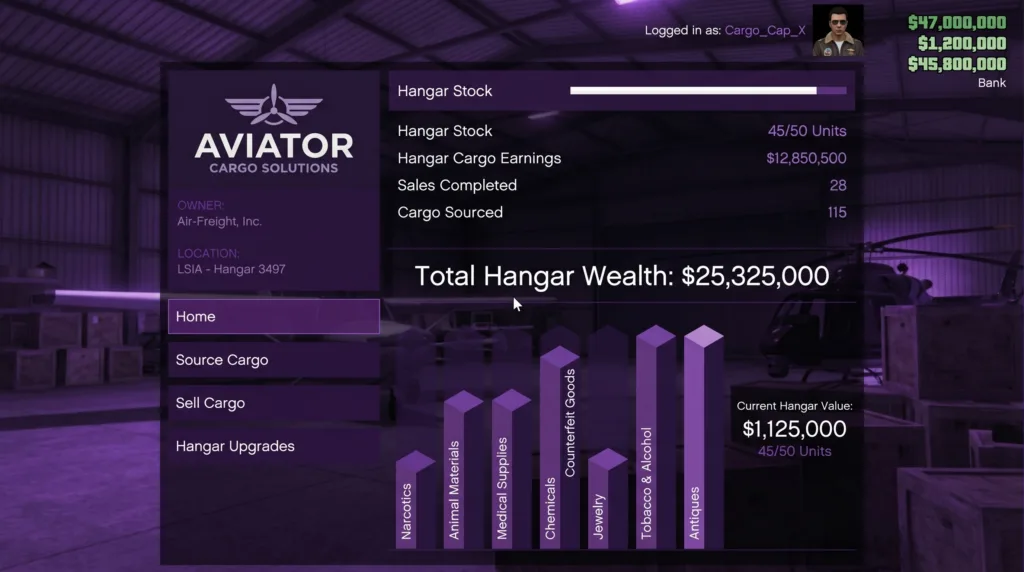
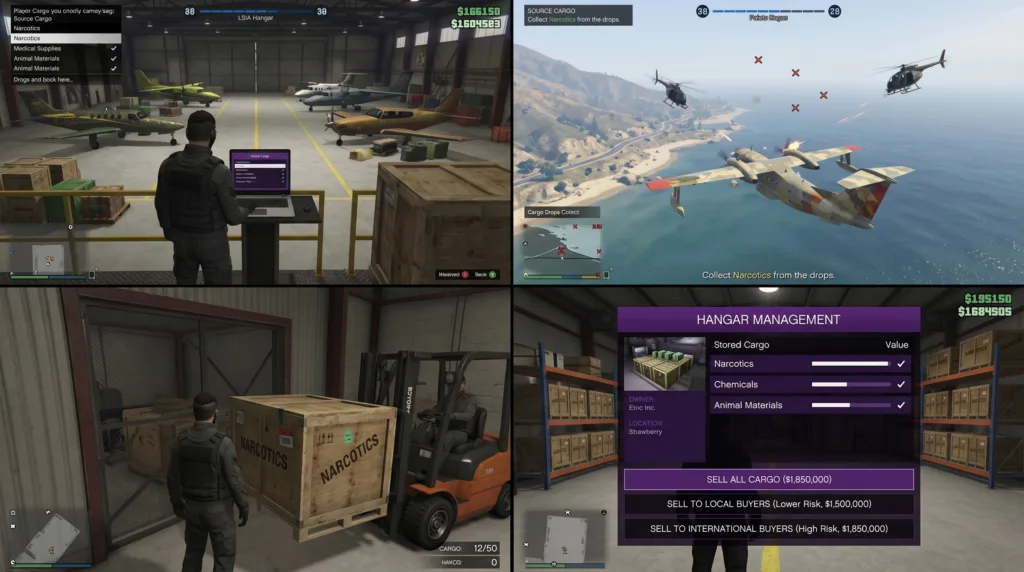
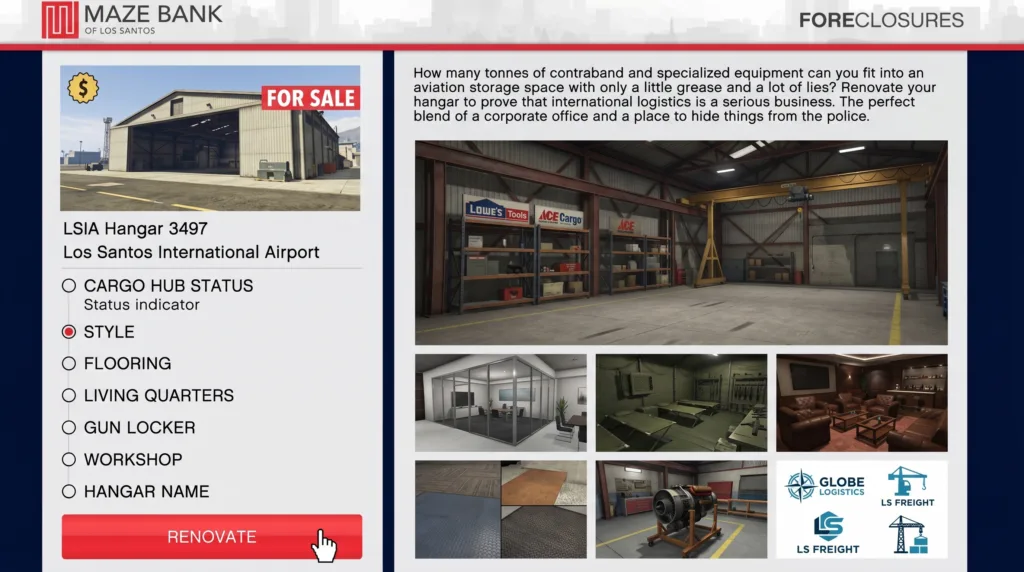
In-Game Screenshots :
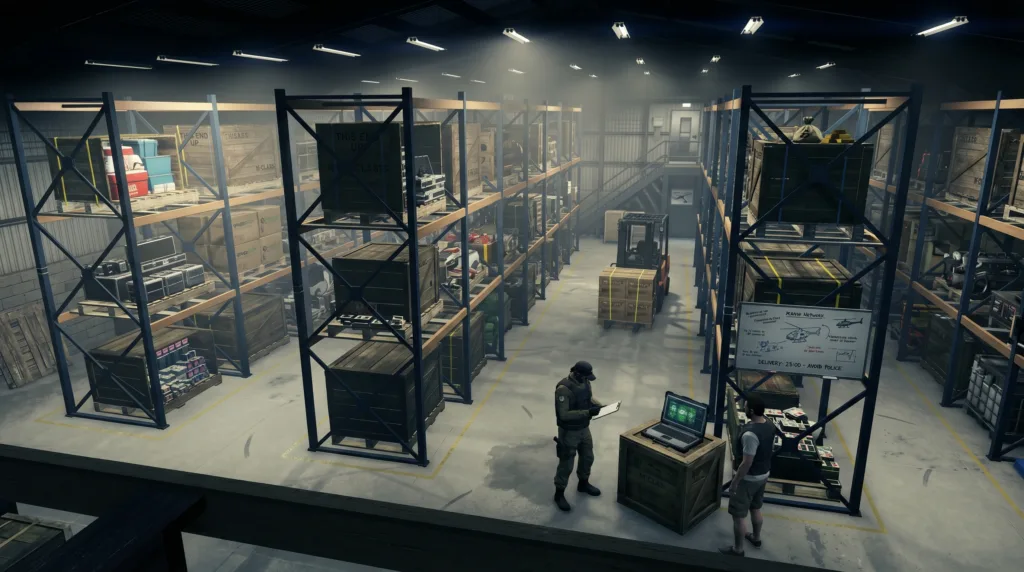
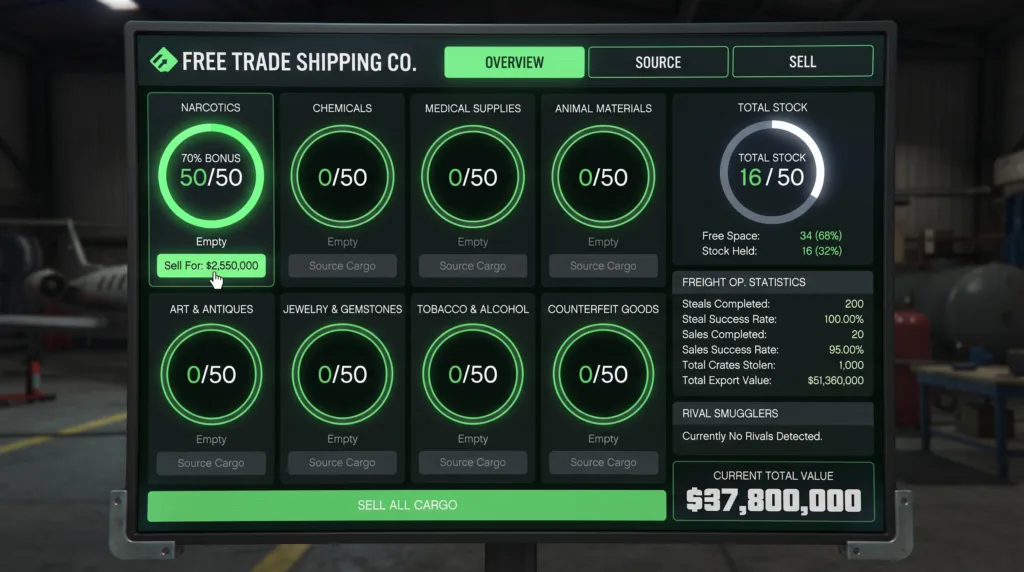
Key Features of the script
1. Hangar/warehouse automated restocking For those familiar with gta online, one of the most time consuming aspects of the game is gathering cargo for hangars and warehouses. The automation provided by this script eliminates this process entirely. What it does: Automate restocking of hangar cargo Fill warehouses to maximum capacity immediately Select the type of goods you want to stock randomly or specifically Options available in control panel: Hgwhrestock = true → enabled automation HGWHmaxgoods = true → fill stock to maximum immediately HGsetgood = false → stock goods randomly (can be changed) Even better yet you can customize specific goods you wish to store such as: Narcotics Jewelry Chemicals Medical supplies Players can then test and try different strategies without expending unnecessary manual efforts.
-
Mc business automation
Mc (Motorcycle Club) Businesses are also a significant source of revenue for players; however, requiring constant monitoring.
This script makes it easy. Automated actions: Automatically resupply all mc Businesses Automatic production restocking Supports: Meth Lab Weed Farm Cocaine Lockup Counterfeit cash factory Document forgery office Bunker Acid lab Each individual business is checked prior to updating stock levels. Stock levels are updated accordingly based upon intelligent business management logic. Important Note: once the script has run, you may need to restart the mc Businesses and re-assign technician's. These two steps are essential for synchronizing the automation with the gta game system.
-
Night club optimization
Night clubs are passive income sources; however, maintaining popularity and stocking inventory can be a hassle.
This script: Boost popularity of the night club to maximal levels Restores all inventory goods Provides continuous income generation As soon as popularity is maximized: daily earnings increase significantly Manual mission grinding decreases Control panel overview A control panel is included at the start of the script so that you have total flexibility to customize the functionality as needed. Each of the individual features has an on/off toggle, here is how they function: Hangar and warehouse options Hgwhrestock → whether or not to enable restocking HGWHmaxgoods → enable instant filling of maximum capacity. Hgsetgood → choose whether goods will appear randomly or always remain the same. Business options for mc Mcresup → whether or not to automatically resupply materials. Mcrestock → whether or not to automatically refill stock. Options for nightclub Ncgoods → whether or not to allow automatic refilling of goods at nightclubs. Using these controls, you get to completely dictate how the automation functions. Advantages of using automated Scripts for gta online.
- Reduces the amount of Time spent grinding.
Manual grinding in gta online can take many hours. Automated grinding cuts down that Time substantially.
- More efficient gameplay experience.
Automated grinding allows you to enjoy gameplay rather than manually grind through repetitive tasks.
- Better resource utilization.
By allowing automated processes to manage all of your businesses simultaneously, you maximize their potential output.
- Improved steady income from businesses.
When all businesses are operating at optimal levels, income becomes much steadier. Important considerations about automated Scripts Although automated Scripts can greatly enhance your gameplay experience, there are some important things to consider:
- Changes made by rockstar games.
After rockstar makes changes to the game, your automated script could potentially stop functioning correctly. The good news is that when this happens, you should be able to make some modifications to bring it back into working order.
- Compatibility issues between mod menus and environments.
Not all mod menus or gaming environments are compatible with all Scripts. You need to check Compatibility before using an automated script.
- Reasonable use of automated tools.
Also keep in Mind that when you use automated tools, you need to do so reasonably and understand how they impact your overall gaming experience balance. Best uses for this script
This script is great for:
- players who are responsible for Managing several different businesses in gta online. • Content creators looking to showcase how automation can be used in gta online. • users interested in testing out various game mechanisms. • advanced modding enthusiasts.
If you own/operate:
- Hangar + warehouse • a complete mc setup • a large nightclub operation
Then this script is going to be very useful to you.
What makes this script standout from other Scripts?
Unlike other Scripts that only automate one aspect of gta online, this script: ✔ provides multi-business automation ✔ has a wide array of customizable settings ✔ automatically handles inventory needs based on market trends ✔ is designed to fully cover all areas of gta online's business ecosystem It provides automation across all of gta online's business systems; it doesn't limit itself to just automating one area. Workflow steps for how an automated run works:
Below is an overview of what happens during a normal automated run:
- Launch gta online 2. Load the script within your mod menu. 3. Script checks the current state of your session. 4. Waits 10 seconds for the session to finish loading. 5. Begins automation process: Hangars are loaded. Warehouse goods are replenished. Materials for mc businesses are replenished. Boosts the nightclub. Shows success messages.
In a matter of seconds, all of your business networks have been optimized. Tips for fine-tuning your own automation
Want even more control? Here are a few ideas:
Customizing goods types instead of random goods: Choose specific cargo types to sell instead of random ones: Sell Narcotics for better profit margins. Selling Jewelry adds variety to your selection. Disabling certain features: Example: turn off mc restock if you only want warehouse automation. Adjusting delays (script.yield): Change delays for a smoother execution.
Summary
Handling multiple businesses in gta online is one of the best but also most challenging parts of playing gta online. These kinds of Scripts help streamline your operation and reduce the amount of manual management required. The provided Lua script shows how you can implement automation across multiple systems in gta online, giving players an improved and less tedious experience. Whether you're a casual player or someone heavily involved in gta modding, knowing how these automated Scripts work gives you a substantial edge in your online play.
Video of the Script
Credits to Dev - #L7NEG Sharing the Script
Download Links: