

Biz-teroids Cargo Restocker — Full Guide
Biz-teroids — also known as Cargo Restocker — is one of the most powerful business automation Lua scripts available for GTA V Enhanced and Legacy in 2026. It eliminates repetitive sourcing and resupply tasks by automatically replenishing nearly every profitable business in GTA Online in a single execution, letting you skip straight to the selling phase.
- What Is Biz-teroids?
- Core Features
- Supported Businesses
- How Biz-teroids Works
- Hangar & Warehouse Automation
- MC Business Restocking
- Bunker & Acid Lab
- Nightclub Management
- Salvage Yard & Money Fronts
- Master Control Terminal Hotkeys
- Configuration Options
- Installation Guide
- Recommended Workflow
- Benefits for Content Creators
- Benefits for Casual Players
- Troubleshooting
- Frequently Asked Questions
1. What Is Biz-teroids?
Biz-teroids is an advanced Lua-based automation script originally built by ImagineNothing for GTA V’s YimMenu ecosystem. Its name combines “businesses” and “steroids” — because it supercharges your entire GTA Online business empire in a single execution. Rather than spending hours running supply missions and sourcing cargo, the script handles all restocking automatically and immediately.
The script reads your game’s internal globals and packed stats to identify which businesses you own, checks current stock levels, and instantly brings everything to optimal production capacity. Players who own Hangars, Special Cargo Warehouses, MC Businesses, Bunkers, Nightclubs, Acid Labs, Salvage Yards, and Money Fronts can manage their entire portfolio with this one script.
Biz-teroids is fully compatible with both GTA V Legacy and GTA V Enhanced as of 2026. It ships with a clearly labeled control panel at the top of the Lua file so you can enable or disable individual modules depending on what you own — making it just as useful whether you run a single Nightclub or a full empire with every business type.
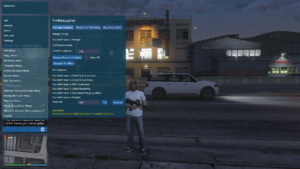
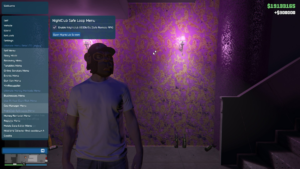
In Game Pictures:



2. Core Features
Biz-teroids is one of the most comprehensive business automation scripts available for GTA Online. Here is a full list of everything it handles in a single run:
3. Supported Businesses
Biz-teroids covers virtually every income-generating business in GTA Online. The script checks ownership automatically and skips any businesses you don’t own with a clear notification — so you never need to manually configure it around your specific portfolio.
| Business | Type | What Biz-teroids Does |
|---|---|---|
| Hangar | Air Freight | Instantly fills to 50 crates, optional cargo type selection |
| Special Cargo Warehouses | CEO Cargo | Fills up to 5 warehouses to 111 crates each |
| Methamphetamine Lab | MC Business | Resupplies and prepares full production |
| Weed Farm | MC Business | Resupplies and prepares full production |
| Cocaine Lockup | MC Business | Resupplies and prepares full production |
| Counterfeit Cash Factory | MC Business | Resupplies and prepares full production |
| Document Forgery Office | MC Business | Resupplies and prepares full production |
| Bunker | Gunrunning | Restocks product for maximum sell mission value |
| Acid Lab | Fooligan Jobs | Restocks product for maximum sell mission value |
| Nightclub | Passive Income | Maxes popularity and all 7 warehouse goods categories |
| Salvage Yard | Passive Income | Maxes popularity stat for improved passive earnings |
| Money Fronts | Passive Income | Removes all heat levels from all Money Fronts businesses |
4. How Biz-teroids Works
Biz-teroids operates by reading GTA Online’s internal script globals and packed stat arrays — the same data structures the game itself uses to track business ownership and stock levels. The script checks these values, determines what you own and how full each business currently is, then writes new values to trigger restocks and bring production to optimal levels.
Global Reads
The script reads script globals to detect which businesses you own and check their current stock values before making any changes. If a business is already at maximum capacity, it logs a warning and moves on without overwriting anything.Stat and Tunable Writes
Once ownership and stock thresholds are confirmed, the script uses packed stat writes and tunable integer values to trigger the appropriate restock or production update. These are the same methods the game uses internally for business management.Live Notifications
Throughout execution, success, warning, and error notifications appear in-game. You always know exactly which businesses were updated, which were already at max capacity, and which you don’t own.10-Second Countdown
The script runs a visible 10-second countdown before main logic begins. This gives you time to read the summary of what will be changed. A clear Start and End marker brackets the full execution in the console log.5. Hangar & Warehouse Automation
For players running air freight operations, Biz-teroids handles both Hangars and Special Cargo Warehouses instantly — with the option to select specific cargo types for each.
Hangar Cargo Types
When HGsetgood = true, the script uses the HGgoodtype value to set a specific cargo type. The available types are:
6. MC Business Restocking
The script locates each of your MC Businesses by reading their slot IDs and location data, confirms current stock is below the threshold, then prepares them for full production using the appropriate tunable values.
Methamphetamine Lab
Checks stock against a threshold of 19 units. Applies four manufacture tunables and two cost tunables, then prompts a business restart to activate production.Weed Farm
Checks stock against a threshold of 79 units. One of the highest-volume MC businesses — restocked across all location slots in a single pass.Cocaine Lockup
Checks stock against a threshold of 9 units. The highest-value MC business per unit — restocked instantly and ready for sell missions after a restart.Counterfeit Cash Factory
Checks stock against a threshold of 39 units. Applied alongside all other MC businesses in the same execution pass.Document Forgery Office
Checks stock against a threshold of 59 units. Lowest-value MC business but restocked automatically for completeness — no extra steps required.7. Bunker & Acid Lab
Two of GTA Online’s most profitable passive income sources are restocked in the same pass. Both support all location variants and check current stock before making changes.
Bunker
Checks stock against a threshold of 99 units. Three manufacture tunables and two cost tunables are applied. After restarting the Bunker it begins research and product accumulation at full rate. All 11 Bunker location variants across the map are supported.Acid Lab
Checks stock against a threshold of 159 units. Three manufacture tunables and two cost tunables are applied. Restart the Acid Lab after execution to begin full production. One of the most efficient passive income businesses in GTA V Enhanced per supply cost.8. Nightclub Management
Biz-teroids handles both Nightclub popularity and warehouse goods production simultaneously — two of the most tedious management tasks for Nightclub owners, resolved in a single script execution.
Popularity Bar
Sets the MPX_CLUB_POPULARITY stat to 1000 — the maximum value — instantly. Whether the bar is fully drained or partially filled, it goes straight to max with no DJ gigs or passive popularity missions required.Warehouse Goods
Applies seven manufacture tunables covering all technician product categories — South American Imports, Pharmaceutical Research, Organic Produce, Cargo and Shipments, Cash Creation, Sporting Goods, and Printing & Copying. After execution, re-assign your technicians to begin accumulation at maximum production speed.9. Salvage Yard & Money Fronts
Salvage Yard Popularity
Instantly sets Salvage Yard reputation to the maximum value of 100. Higher popularity directly increases the passive income and vehicle theft frequency the Salvage Yard generates between active sessions — no contracts or reputation missions needed.Money Fronts Heat Removal
Clears heat levels from all three Money Fronts businesses by resetting the relevant packed stats to zero. Removing heat reduces law enforcement pressure on the businesses, allowing them to operate at full passive income rate without intervention missions interrupting your session.10. Master Control Terminal Hotkeys
After the main restock logic completes, Biz-teroids activates a persistent background loop that enables quick access to the Arcade’s Master Control Terminal from anywhere in the session — without needing to physically travel to the Arcade.
This works by launching the apparcadebusinesshub script natively — the same system the Arcade terminal uses when accessed in-game. The terminal opens and responds exactly as it would if you were standing at the MCT in your Arcade property.
11. Configuration Options
At the very top of the Cargo_Restocker.lua file is a clearly labeled control panel. Each variable is a boolean that enables or disables a specific module. You can tailor Biz-teroids to run only what you need.
| Variable | Default | What It Controls |
|---|---|---|
| HGWHrestock | true | Enable Hangar and Warehouse restocking. Set false to skip both. |
| HGWHmaxgoods | true | Instantly max stock. False uses mixed goods (slower but more natural). |
| HGsetgood | false | If true, sets a specific cargo type for the Hangar using HGgoodtype. |
| HGgoodtype | 6 | Cargo type ID for Hangar (0–7). Default 6 = Narcotics. |
| WHsetgood | false | If true, sets a specific cargo type for Warehouses using WHgoodtype. |
| WHgoodtype | 6 | Cargo type ID for Warehouses (0–10). Default 6 = Gemstones. |
| MCresup | true | Enable MC Business resupply across all owned businesses. |
| MCrestock | true | Enable MC Business restocking — prepares production for all MC businesses. |
| NCgoods | true | Enable Nightclub warehouse goods restocking and popularity maximization. |
12. Installation Guide
13. Recommended Workflow
For the most efficient use of Biz-teroids, follow this sequence after execution to bring your entire business empire to full capacity as quickly as possible:
14. Benefits for Content Creators
Biz-teroids has become a standard productivity tool for GTA V content creators on YouTube and streaming platforms. Building a fully stocked business showcase account through normal gameplay can take days of preparation — Biz-teroids eliminates that entirely.
Instant Showcase Setup
Create tutorial and comparison videos with fully stocked businesses from the first minute of recording. No waiting periods, no supply missions to run before filming — just load in, execute, and start recording.Consistent Recording State
Restore all businesses to full capacity before every recording session to maintain consistency across a video series. Viewers get the same fully loaded reference point in every episode — cleaner content and faster production cycles.Blog and Guide Writing
Website authors and modding guide writers use Biz-teroids to quickly generate accurate income figures and sell mission data for articles. A fully stocked business empire ready to sell in seconds means accurate data without the grind.15. Benefits for Casual Players
GTA Online’s business systems are designed around repetitive sourcing loops — running supply missions again and again just to keep businesses producing. For players who enjoy the game but find this grind loop tedious, Biz-teroids completely transforms the experience.
Hours Saved Per Session
A full manual restock of every major business in GTA Online can take two to three hours of active play. Biz-teroids compresses that into a single 60-second script execution — giving you those hours back for missions, exploration, or roleplay.Full Empire Without Full Commitment
Own every business in the game and keep them all running profitably without committing to daily grinding sessions. Execute Biz-teroids, start sell missions, collect income — without the hours of preparation in between.Focus on What You Actually Enjoy
If you love sell missions, heists, or roleplay but find sourcing missions boring — Biz-teroids skips the part you dislike and puts you directly into the content you enjoy. The game on your terms, not Rockstar’s grind design.16. Troubleshooting
| Problem | Likely Cause | Solution |
|---|---|---|
| Script shows “join freemode session” message | Executed outside GTA Online freemode | Enter a GTA Online freemode session before loading the script |
| “You don’t own a [Business]” notification | Business not purchased on this profile | Normal behavior — the script skips unowned businesses automatically |
| “[Business] is at max capacity” warning | Business stock is already full | Run sell missions first or ignore if intentional — no action needed |
| MC Business not updating after restock | Business not restarted post-execution | Restart each MC Business manually — this is required to activate production |
| Nightclub goods not accumulating | Technicians not re-assigned after restock | Open the Nightclub app and re-assign all technicians to their product types |
| Script conflicts with another Lua file | Global or stat conflicts with a running script | Disable all other active Lua scripts before executing Biz-teroids |
17. Frequently Asked Questions
Yes. Biz-teroids is fully compatible with both GTA V Legacy and GTA V Enhanced as of 2026. The internal global and tunable addresses used by the script are consistent across both versions of the game.
Yes. Each major feature has its own boolean toggle in the control panel at the top of the Lua file. Set any variable to false to skip that module entirely — for example, set MCresup = false if you don’t want to resupply MC businesses in a particular session.
GTA Online’s MC production system only applies new tunable values when a business is actively restarted. Biz-teroids writes the restock values — the business restart triggers the game to read and apply them to your active production queue.
The script requires a freemode Online session. For safety it is strongly recommended to use it in an invite-only or solo session. Using Lua scripts that modify game globals in public lobbies increases the risk of detection and reporting by other players.
Yes. Biz-teroids works with any save type including FSL local saves. When combined with FSL, all business restock changes write to your local profile — making it an excellent tool for setting up fully stocked showcase accounts without affecting your main Rockstar cloud save.
No. The script checks ownership for every business before attempting any changes. If you don’t own a particular business, it displays an error notification and moves on to the next one. No changes are ever made to businesses you don’t have access to.
Including the 10-second countdown, a full run across all businesses typically completes in 60 to 90 seconds. The exact time depends on how many businesses you own and which modules are enabled. Hangar and Warehouse instant max mode is significantly faster than the mixed-goods option.
Credits to Dev – #ImagineNothing For Sharing the Script